CNAME Record Guide
Is it possible to use domain names other than the IDrive® e2 region specific domain names?
Yes, you can replace IDrive® e2 specific region domain names with your own domain names. You need to create a CNAME record for your domain name server and point that to your e2 region domain name. The Dashboard on the web console lists the IDrive® e2 specific domain names of each enabled region. Public DNS is available only for public buckets.
Sections in this article:
- Create a CNAME Record
- Edit a CNAME Record
- Delete a CNAME Record
- Map IDrive® e2 Endpoint to Your CNAME
Create a CNAME Record
To create a CNAME record to map your domain name,
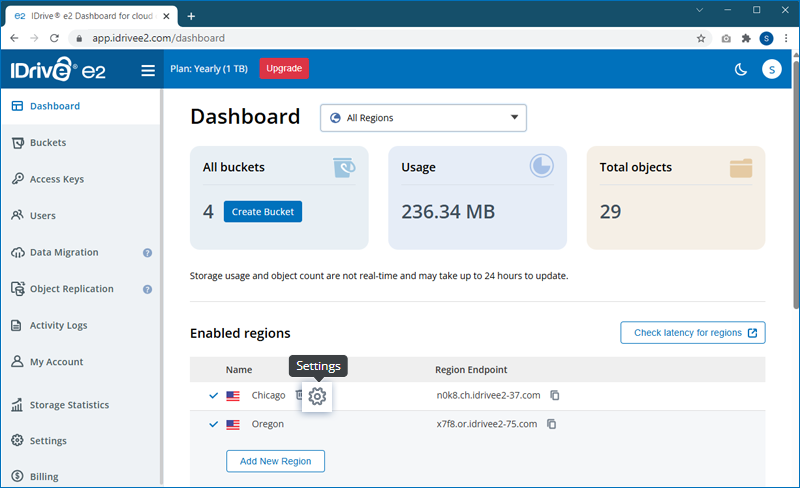
- Click
 next to the region name.
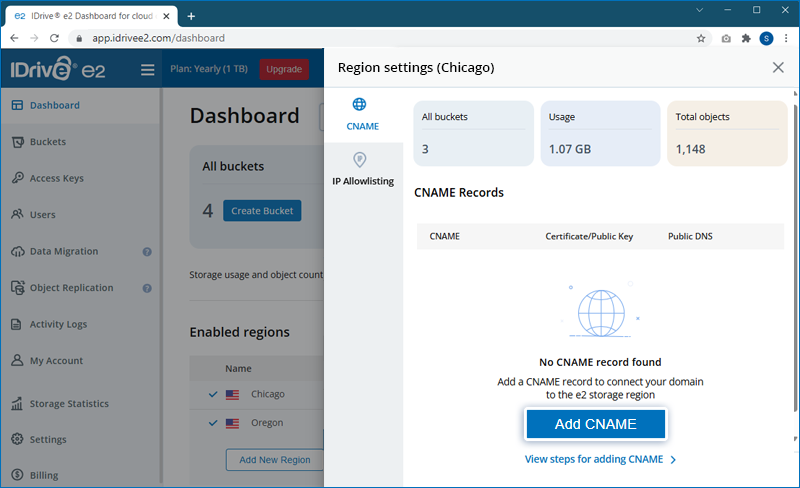
- Click Add CNAME in the slider.
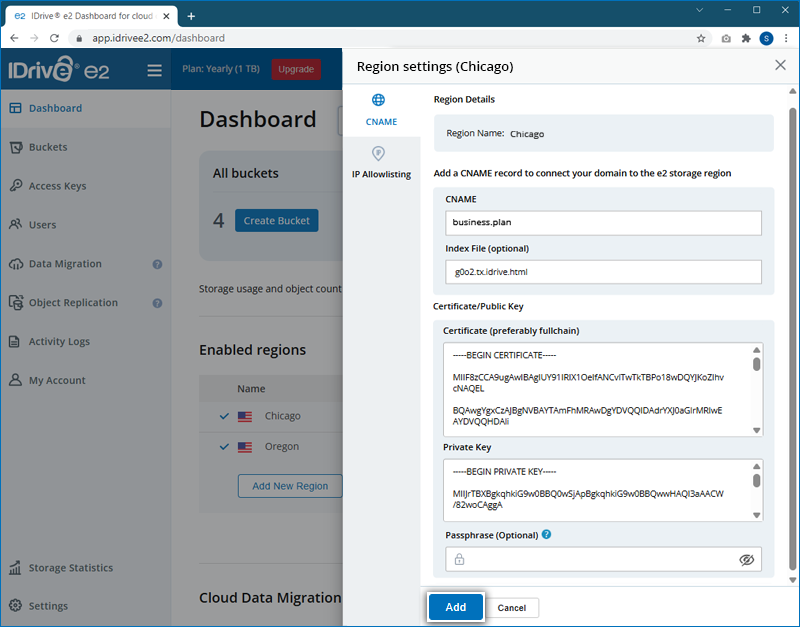
- Enter a CNAME record for the user domain.
- Specify the Index File e.g. index.html, if you want to host any static websites on e2.
- Copy and paste a valid TLS Certificate and Private Key.
- Provide a passphrase, if you have used an encrypted private key.
- Click Add.
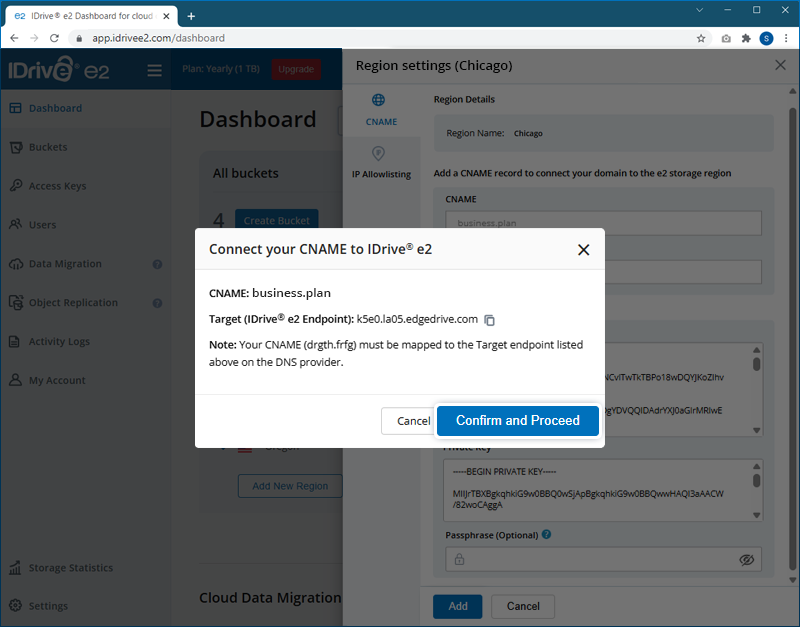
- Ensure the CNAME is mapped to the Target IDrive® e2 endpoint on the DNS provider, and provide your confirmation to proceed.
- On successful validation, the CNAME record will be added.
Users can also edit or delete any previously added CNAME records.
Edit a CNAME Record
To edit a CNAME record,
- Click next to the region name.
- Click
 corresponding to the CNAME record you wish to edit.
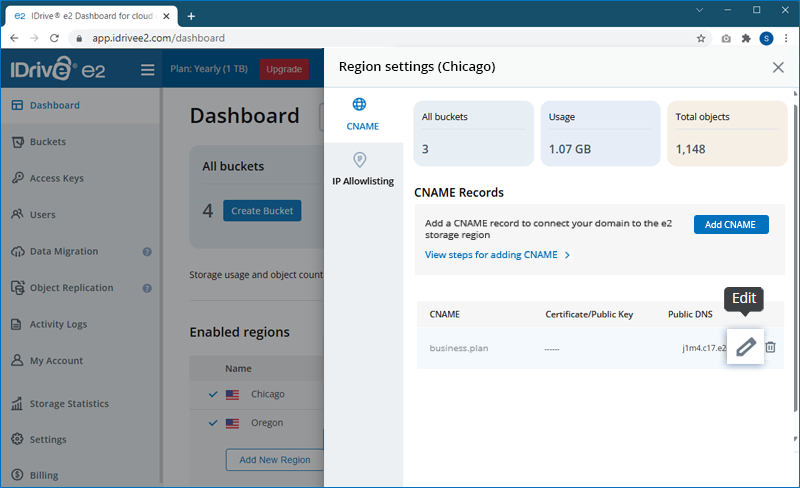
- Modify the Index File, TLS Certificate, Private Key, or passphrase as required.
- Click Update.
Delete a CNAME Record
To delete a CNAME record,
- Click next to the region name.
- Click
 corresponding to the CNAME record you wish to delete.
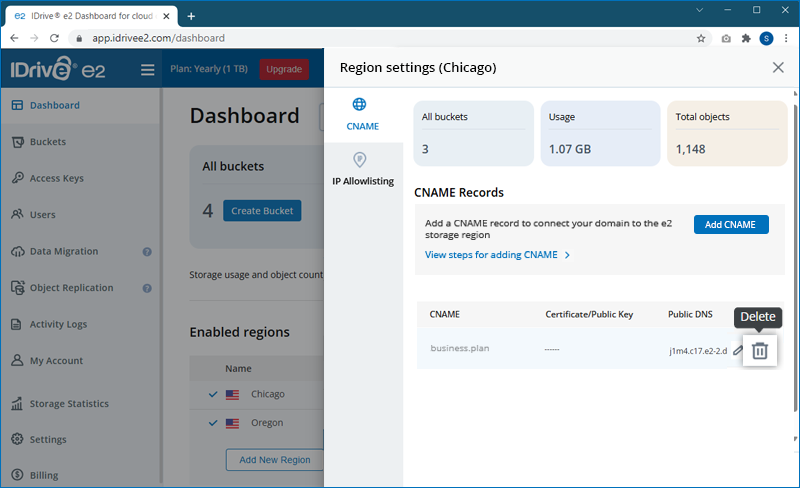
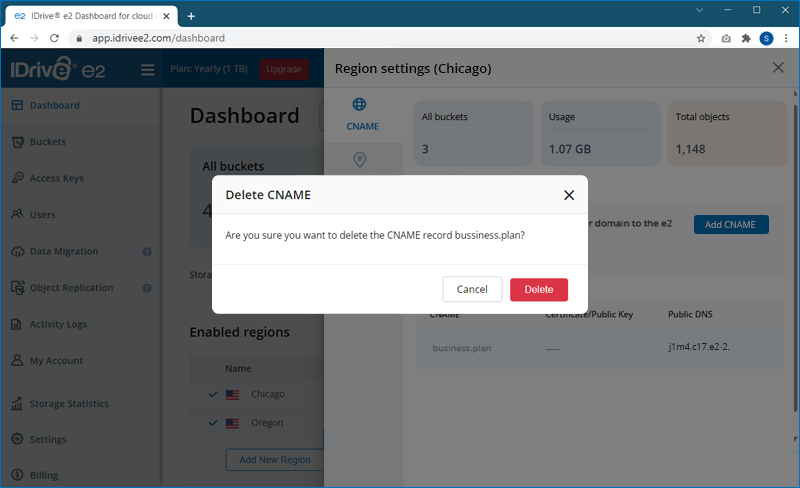
- Provide confirmation by clicking Delete in the popup.
Map IDrive® e2 Endpoint to Your CNAME
To use a custom domain with IDrive e2, create CNAME records in your DNS that point to the appropriate IDrive e2 regional endpoint.
Example: Oregon Region
| Type | Name | Value |
|---|---|---|
| CNAME | s3.example.com | j3x7.or8.idrivee2-71.com |
Important: Host-Style URL Requirement
If you plan to use host-style URLs, such as:
https://bucket.s3.example.com/object
You must also configure a wildcard CNAME record:
| Type | Name | Value |
|---|---|---|
| CNAME | *.s3.example.com | j3x7.or8.idrivee2-71.com |
Note:
The following encrypted key formats are supported:
- PKCS#8
- PKCS#1
The following encryption algorithms can be used:
- AES-128-CBC
- AES-192-CBC
- AES-256-CBC
- Triple DES (3DES)
- DES-CBC
Note: IDrive® e2 does not allow creating public buckets. Only public buckets created before 21st July, 2026 are available.